
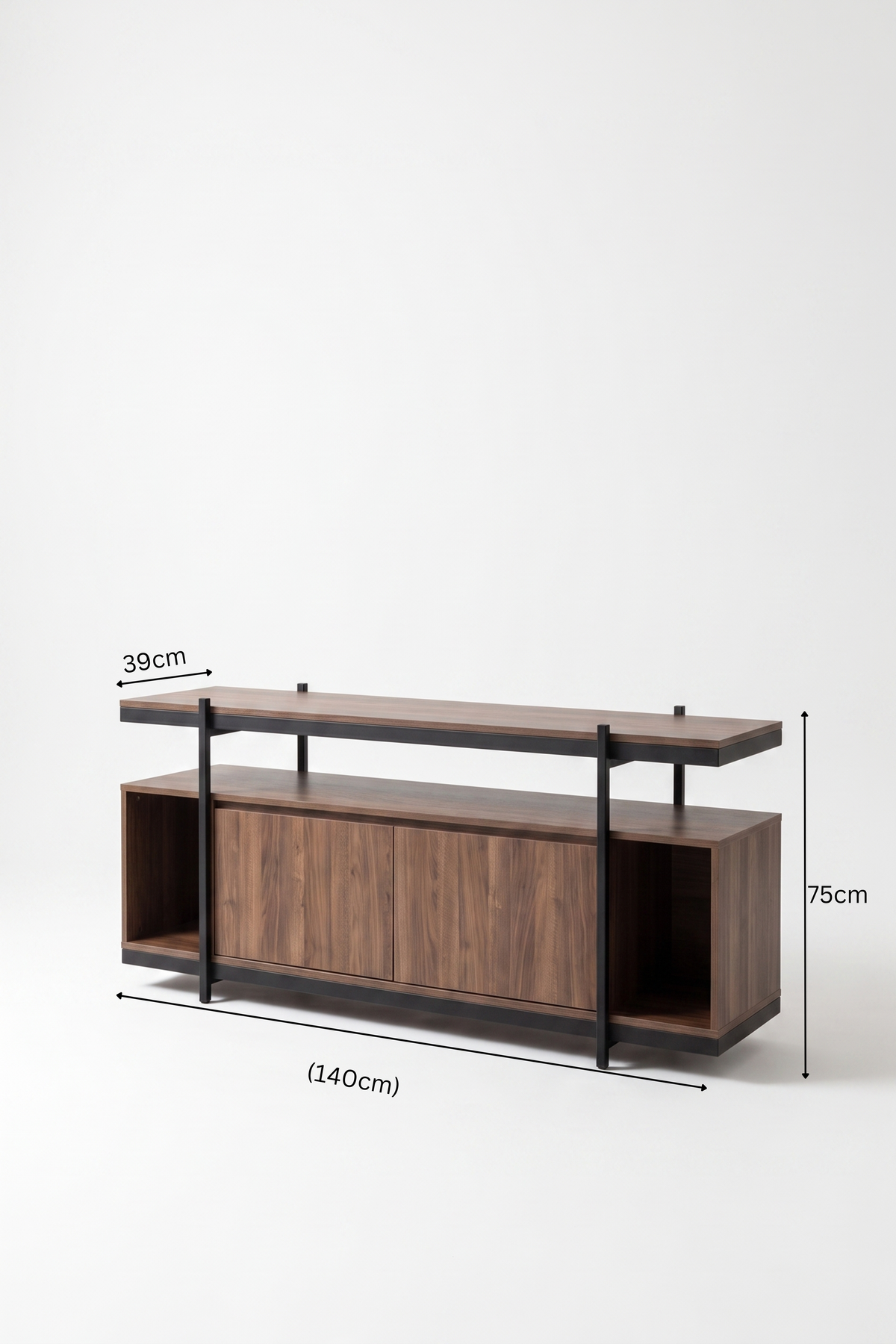
A TV unit must do more than hold a screen. It should support comfortable viewing, manage cables, provide ventilation and fit the room without crowding the main walkway. Use this guide to choose a suitable width, height and storage layout before ordering.
Measure the television itself
Television sizes are advertised by diagonal screen measurement, not by the actual width of the frame. Measure the full television width, including its bezel, and note the position of its feet or stand. If the TV uses two feet near the outer edges, confirm that both sit securely within the unit’s top surface.
Choose a TV unit wider than the screen
A unit that is wider than the television usually looks more balanced and leaves useful space for accessories. As a general starting point, allow at least 15 to 30 centimetres of extra width on each side when the room permits. Larger margins can suit a long wall; tighter margins may be necessary in compact apartments. Always compare the actual product dimensions with the wall width.
Set the screen at a comfortable viewing height
When seated, the centre of the screen should be close to natural eye level so you do not repeatedly tilt your head up or down. Sofa height, viewing distance and TV size all affect the final position. If the screen is wall-mounted, choose the mounting height first, then select a unit that sits comfortably below it with enough visual space.
Plan for cables before installation
List every connected device: receiver, game console, router, soundbar, media player and charging cables. Check where power and internet outlets are located. A practical unit should provide routes for cables and enough internal space for plugs without forcing the furniture away from the wall.
Allow ventilation around electronics
Receivers, consoles and amplifiers can generate heat. Do not pack them tightly into a closed compartment unless the design provides suitable airflow. Open shelving or ventilated storage can help electronics operate more comfortably. Follow each device manufacturer’s clearance guidance.
Open storage or closed storage?
- Open shelves: keep frequently used electronics accessible and help airflow, but require more regular dusting.
- Closed cabinets: hide cables and accessories for a cleaner appearance, but dimensions and ventilation need careful checking.
- Mixed storage: combines open device space with closed areas for controllers, manuals and less attractive accessories.
Check circulation and doors
Measure the distance between the sofa, coffee table and TV unit. Keep the main route through the room clear, and confirm cabinet doors or drawers can open without hitting the coffee table. In narrow rooms, a shallower unit can be more useful than a larger unit with storage you cannot comfortably access.
Coordinate the living-room layout
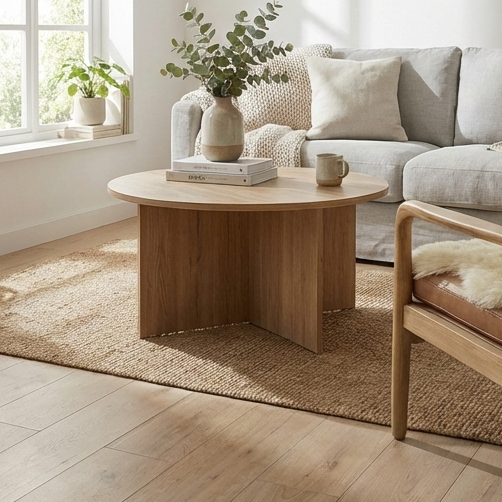
Use one or two repeated finishes to connect the TV unit with the coffee table and side tables. Matching every piece is optional; consistent proportions and a shared colour or material can create a coordinated result without making the room feel like a fixed set.
Quick buying checklist
- Record the TV’s actual width, height and foot positions.
- Measure the available wall and nearby outlets.
- Choose a unit wider than the screen where possible.
- Check viewing height from your normal sofa position.
- List all electronic devices and cable routes.
- Confirm ventilation, door clearance and walkway space.
Explore the VINCHi modern TV units collection, compare coordinated TV unit and coffee table sets, or complete the layout with modern coffee tables.
Frequently asked questions
Can the TV be wider than the unit?
It is normally better for the unit to be wider than the television for visual balance and secure support. If the TV is wall-mounted, a narrower unit can work, but the complete wall composition should still feel balanced.
How much storage do I need?
Count the devices and accessories you use now and leave some spare capacity. Storage that looks generous in a photo may be too small once plugs, power adapters and cable bends are included.
Should I choose a floor unit or wall-mounted unit?
Floor units are easy to position and often offer more storage. Wall-mounted designs create a lighter appearance and simplify floor cleaning, but require suitable wall construction and professional installation.


Leave a comment
This site is protected by hCaptcha and the hCaptcha Privacy Policy and Terms of Service apply.